A clever way around per-IP request limits
 Marcin Polkowski
Translated from Polish. Originally published on morony.pl on 9 Nov 2016.
A long, long time ago I took on the job of parsing data from a certain website that enforced a limit on the number of requests from a single IP address. It worked more or less like this: after a few requests, the IP address got blocked for a few minutes. Since there were a great many records to download, this filter effectively blocked me. I started looking for a solution, and after a few iterations I arrived at a simple and relatively cheap approach.
There are many providers on the market offering a service called SEO hosting (for search engine optimization) – it differs from regular hosting in that you can use multiple IP addresses within a single account. IP addresses are relatively expensive (if you need several dozen of them), but with SEO hosting the same pool of addresses is shared by many customer accounts. An account with a pool of 32 IP addresses will cost around 20-30 zł a month. Once you've bought the service and logged into the admin panel, you should have access to a list of "your" IP addresses.
Before we get to the solution, let's do a simple test. Let's check the IP address as seen from the server. We'll do it with a simple PHP script:
<?php
    $ch = curl_init('http://whatismyip.org/');
    curl_setopt($ch,CURLOPT_RETURNTRANSFER,TRUE);
    $myIp = curl_exec($ch);
    preg_match_all('/\d{1,3}\.\d{1,3}\.\d{1,3}\.\d{1,3}/',$myIp, $out);
    print_r($out);
?>
We run the script from the browser (a cheap server is unlikely to offer SSH access). The result should look more or less like this:
Array
(
    [0] => Array
        (
            [0] => 212.59.244.5
        )

)
The IP address that shows up is most likely the one assigned to our account by default. We can change it in the admin panel and try again. Unfortunately, that won't help us switch addresses quickly. It turns out that all you need to do is tell CURL which of the server's network interfaces you want to use. The list of IP addresses available to my account had 32 entries:
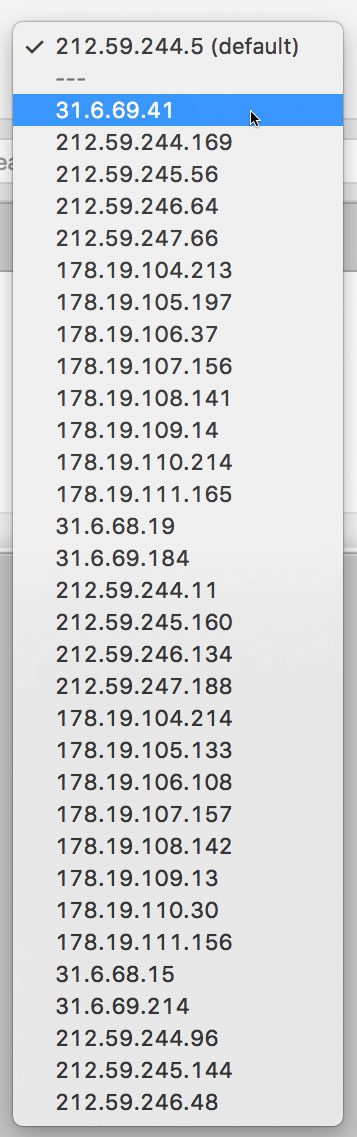
Let's use the first address on the list:
<?php
    $ch = curl_init('http://whatismyip.org/');
    curl_setopt($ch,CURLOPT_RETURNTRANSFER,TRUE);
    curl_setopt($ch,CURLOPT_INTERFACE,"31.6.69.41");
    $myIp = curl_exec($ch);
    preg_match_all('/\d{1,3}\.\d{1,3}\.\d{1,3}\.\d{1,3}/',$myIp, $out);
    print_r($out);
?>
We get:
Array
(
    [0] => Array
        (
            [0] => 31.6.69.41
        )

)
It works! You can work wonders with CURL. All that's left is to add logic that picks a random IP address for each request.
If you're the inquisitive type, you might discover one more thing. When you buy the cheapest account (with the fewest IP addresses), you'll probably end up on the same machine as the owners of the more expensive plans. So you can use the whole pool of IP addresses assigned to that server, even if they aren't available to you in the panel. For example, these addresses from outside my list worked for me: 31.6.69.42, 31.6.69.43, 31.6.69.45, 31.6.69.47 (I didn't try any more). Using an address that isn't assigned to the given machine returns an empty string – our data didn't know how to get back.
You also have to keep in mind the very limited server resources of such a hosting account – if you start generating too much load, sooner or later the admin will get in touch with complaints.
Maybe some of you will find this useful someday.